Most cleaning business owners think running Google Ads just means spending money on “cleaning services near me” and waiting for calls. But calls don’t pay your staff, cover supplies, or guarantee booked jobs. Real revenue comes from booked cleaning jobs — recurring residential clients, deep cleans, post-renovation contracts, or commercial janitorial work.
If you’re judging your ads only by leads or form fills, you’re missing the metric that matters most: jobs completed and retained after costs — labor, supplies, transportation, admin, and ad spend. Our digital marketing for cleaning business strategies work consistently across residential and commercial markets.
Below, I’ll show exactly how to use “Google Ads for cleaning services” — not just for leads but to deliver booked jobs. If you’re new to paid traffic, check out my Google Ads guide for local businesses.
Pillar 1: Drive Quality Leads — Intent-Based, High-Intent Traffic
You don’t want clicks from people searching “how to clean a sofa” or “DIY carpet cleaner.” You want users ready to hire — homeowners, renters, property managers, or businesses looking for cleaning services now.
What quality & relevant traffic looks like
Quality traffic: people ready to book one-time, deep, or recurring cleaning.
Relevant traffic: people inside your service area searching for services you actually offer (residential, commercial, Airbnb, etc.).
If someone searches “move-out cleaning near me”, your ad should appear. If they search “best homemade tile cleaner”, it shouldn’t. Your goal: only the right clicks turn into cleaning jobs. You can learn more about targeting qualified buyers in my Google Ads local services guide.
How to get that traffic — practical checklist
- Build an intent-first keyword list: e.g., “house cleaning service near me,” “office janitorial service,” “move-in cleaning,” “apartment cleaning company.”
- Use exact & phrase match types: control who sees your ad; avoid broad match unless you monitor daily.
- Geo-target precisely: city, ZIP, or radius — exclude distant suburbs or neighborhoods you don’t serve.
- Ad schedule: run ads when your team can answer calls and book appointments (include weekends if applicable).
- Ad extensions: use call, location, and price extensions (e.g., “From $99 Deep Clean”).
- Separate campaigns: residential vs. commercial, recurring vs. one-time cleaning.
- Prioritize intent-based bids: “same day cleaner,” “deep clean quote,” “office cleaning contract.”
- Track key KPIs: CPC → CPL → Cost per Booked Job → Cost per Retained Client.
Many cleaning companies waste money without realizing it — here are the most common Google Ads mistakes that drain your budget.
Pillar 2: Post-Click Optimization — A Landing Page That Converts to Jobs
A click only matters if your landing page convinces the visitor to book or request a quote. For “ads for cleaning services” to convert into real jobs, your landing page must be crafted carefully.
What a high-converting cleaning landing page should do
- Prove you’re trusted, insured, and local.
- Clearly showcase services: residential, commercial, recurring, deep clean, move-in/out, post-construction, etc.
- Make it easy to get a quote or book instantly.
- Filter out low-quality leads who aren’t ready to hire.
Key building blocks
Above the Fold
- Headline: “Professional Home & Office Cleaning Services — [City/County]”
- CTA: “Get a Free Quote” or “Call for Same-Day Cleaning.”
- Trust signals: licensed, insured, background-checked cleaners; local phone number.
- Real visuals: photos of your team or branded vehicles (avoid stock photos).
Qualification & Conversion Elements
- Short booking form: Name, Address/ZIP, Type of Cleaning, Preferred Time (include “urgent” or “recurring” options).
- Mention minimum service value: e.g., “We handle jobs starting from $100+” to avoid very small, unprofitable tasks.
- Highlight differentiators: eco-friendly products, pet-safe solutions, uniformed staff, satisfaction guarantee.
- Add reviews/testimonials (real clients, cities, star icons).
- Add before/after gallery or short 10-sec cleaning videos (trust booster).
- Show a simple process: “We confirm → Clean → Inspect → Follow-up.”
Optional but powerful features
- Instant quote calculator or booking calendar.
- Pricing transparency: e.g. “Deep cleans from $149 — recurring discounts available.”
- A commercial cleaning services section: “We serve offices, clinics, schools, Airbnbs.”
A well-optimized landing page ensures your cleaning ads convert visitors into actual booked jobs, not just inquiries. If you want to improve conversions even further, see my Google search ads conversion optimization guide.
Pillar 3: Lead Management & Job Conversion — From Lead to Loyal Client
Remember: a lead is not a job until it’s scheduled, confirmed, and completed. Rapid response and structured follow-up can make or break profitability.
Key practices
- Respond fast — ideally within 5 minutes — for maximum booking rates.
- Qualify leads: assess property type, cleaning frequency, urgency, and budget.
- Use automation: send SMS reminders, auto-quote replies, follow-up for un-booked quotes.
- Train your team to upsell recurring cleanings or add-ons (carpet shampoo, oven cleaning, post-construction cleanup).
- Use a CRM or tracking tool — log every lead, tag it by status, source, service type.
Many cleaning companies using Google Ads combine ads with CRM-based follow-up and automation to maximize conversions. The same follow-up principles apply to other industries too — here’s how Google Ads generate jobs for HVAC businesses.
Suggested workflow
- Lead → Quote sent → Job booked → Job completed → Recurring retained.
- Prioritize same-day or next-day follow-ups for “urgent clean” requests.
- Assign a dedicated booking manager or dispatcher.
- Set up automated workflows: missed-call text-backs, next-day follow-up SMS, review requests post cleaning.
- Monitor conversion metrics by source: “Google Ads → Booked Jobs → Retained Clients.”
Consistent, fast follow-up can often double your booking rate — even without increasing ad spend.
Pillar 4: Feed Closed-Job Data Back to Google (Offline Conversion Tracking) — Let Ads Learn What Matters
Google Ads can’t distinguish a $200 one-time clean from a $3,000 monthly office contract unless you tell it. To get paid cleaning jobs instead of just leads, you need to feed real-world data back into the ads platform.
How to optimize for real jobs
- Track when a lead becomes a booked or completed job.
- Upload those conversions into Google Ads as offline conversions.
- Mark “booked/completed jobs” as primary conversions in your account.
- Use value-based bidding if possible — especially if recurring clients are worth more.
- Automated upload via CRM or weekly spreadsheet works too: include Lead ID, conversion date, job value, job type (residential/commercial), and frequency (one-time/recurring).
Even partial uploads help Google learn which searches and ads bring actual business — not just clicks. If you want to understand how Google uses your data, see my complete Google Ads data-driven guide.
Final Summary — Turn Google Ads Into a Cleaning Job Machine
✅ Attract quality and relevant traffic — homeowners, renters, or businesses ready to hire.
✅Convert clicks via a landing page that pre-qualifies traffic and simplifies booking.
✅ Manage and follow up on every lead with speed, automation, and structure.
✅ Feed closed-job data back to Google so ads optimize for real, paying clients — not just leads.
When these four pillars work together, Google Ads stop being a “lead generator” and instead become a predictable system that fills your cleaning schedule — from $120 deep cleans to $5,000 commercial contracts.
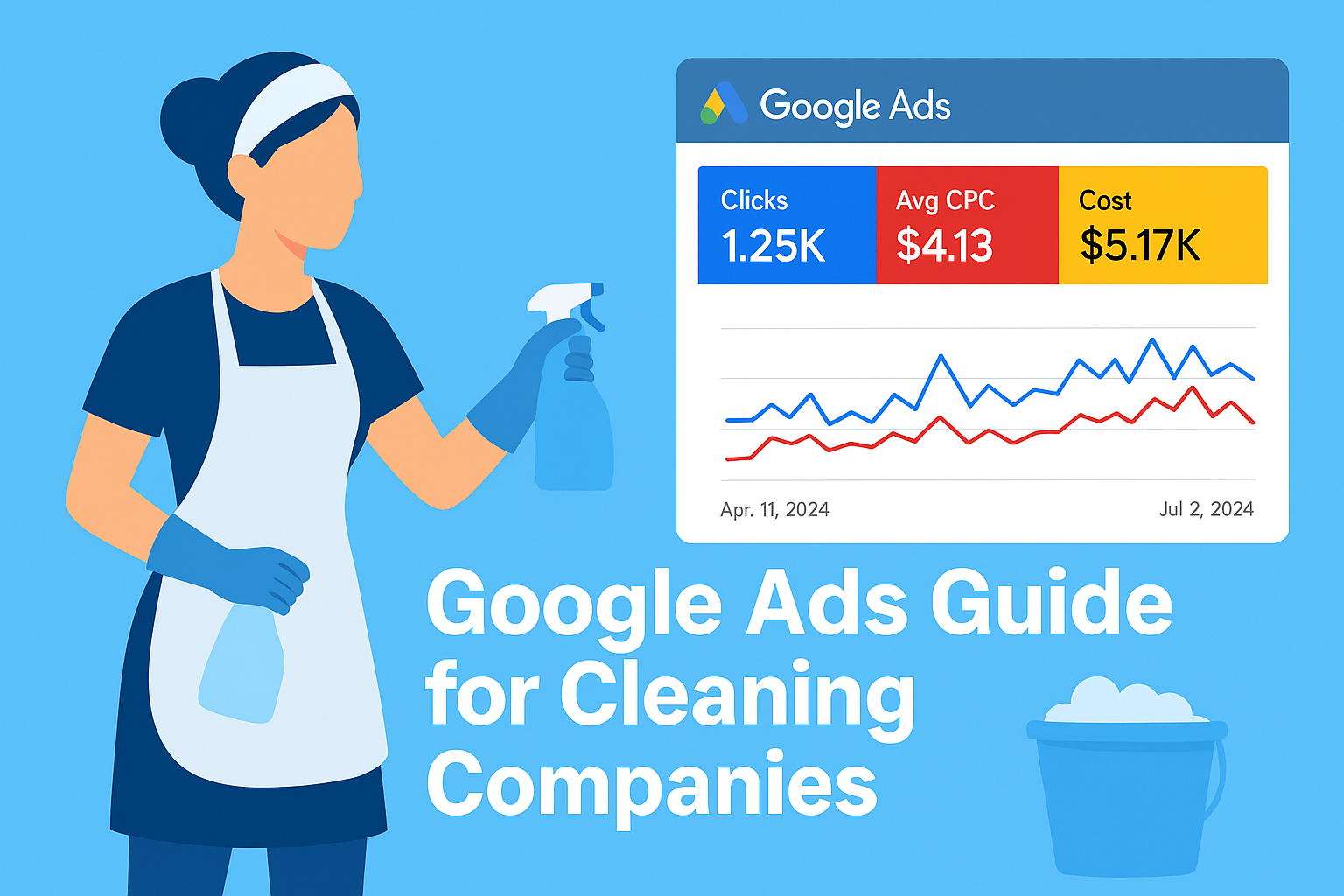
For a deeper dive, check out my full Google Ads guide for cleaning companies.
Need help setting up this system for your cleaning business?
👉 Book a Free 30-Minute Strategy Call at adswithsaqib.com